 kayetana
Your whole team on board. With clear roles.
kayetana is built for teams. Invite coworkers by link, assign roles, and see at any time who's using which models and how much.
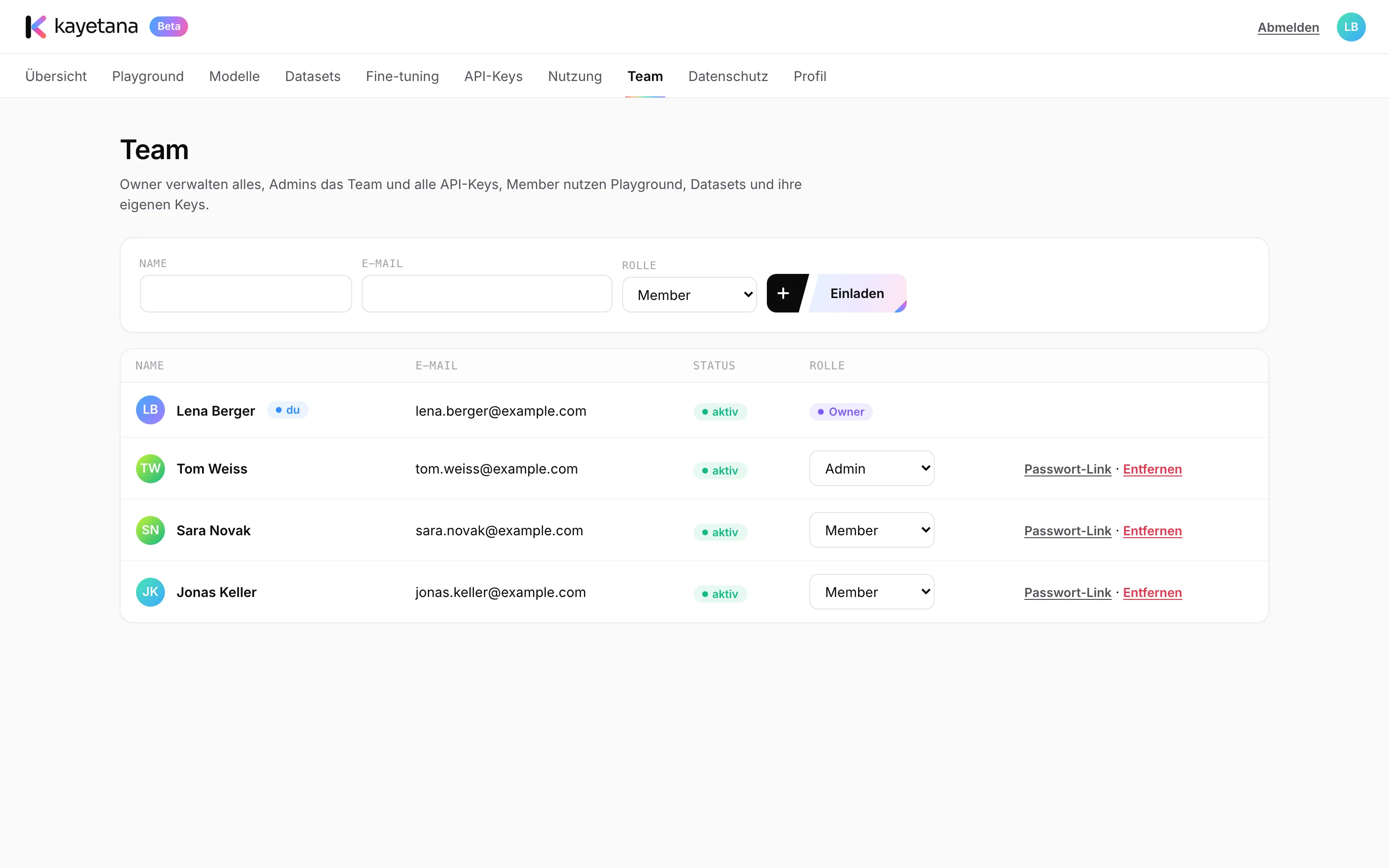
Invite, assign a role, done.
Enter a name and email, choose a role, and send the invite link. There are three roles: owner, admin and member. If someone forgets their password, an admin creates a reset link.
- Owner, admin and member roles
- Invite by link
- Password reset links from admins
Secure sign-in without the hassle.
Three roles
Owners, admins and members only see and manage what fits their role.
Invite by link
New members join the team through an invite link.
Password resets
Admins can create a reset link for any member who needs one.
Signed in for 14 days
A sign-in stays valid for 14 days. After that, you sign in again.
Guessing protection
After 10 failed attempts, sign-in is locked for 15 minutes.
No per-seat fees
The platform is a flat fee. Adding members doesn't cost more.
See what's being used.
The usage page shows tokens and requests per day, broken down by key and model, plus average response time and error rate. Pick a range of 7, 30, 90 or 365 days.
- Tokens and requests per day, key and model
- Response time and error rate
- 7, 30, 90 and 365 day ranges
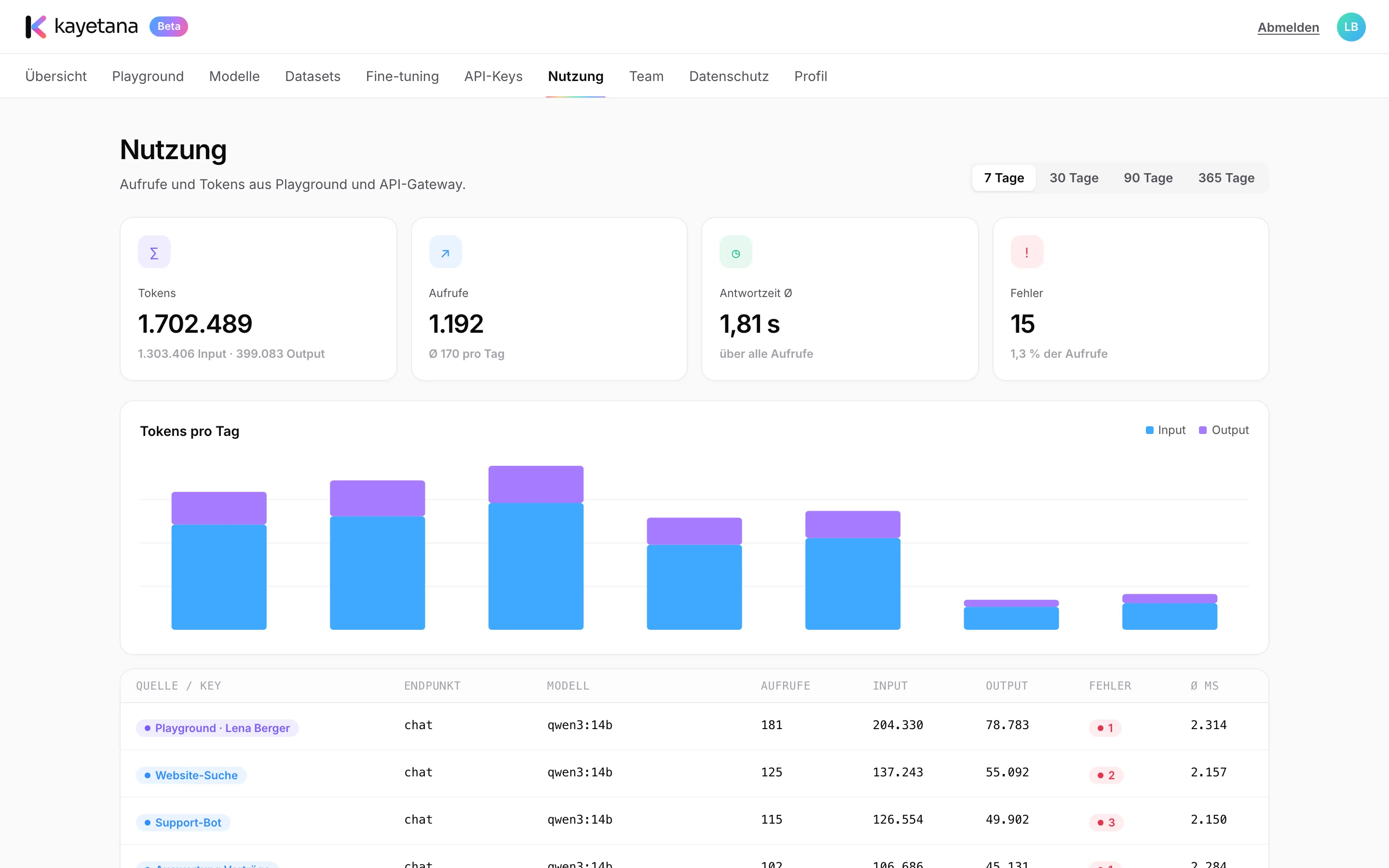
What the overview helps with.
- Seeing which app uses the most tokens
- Finding out which model your team prefers
- Catching an app's errors early
- Setting sensible monthly limits per key
- Deciding whether you need a larger model
- Having the usage log deleted on your schedule
Bring your team onto the platform.
In a demo, we'll show you roles, invites and the usage overview.
Frequently asked questions
Which roles are there?
Owner, admin and member.
How do new members join?
By invite link. Enter their name, email and role, then pass the link along.
What happens after wrong passwords?
After 10 failed attempts, sign-in is locked for 15 minutes. An admin can reset a forgotten password with a reset link.
Does usage show what someone asked?
No. Prompts and answers are never stored. Usage only shows the time, endpoint, model, status, tokens and duration.
Does each extra member cost more?
No. kayetana is a flat fee for the platform, with no per-user billing.