 kayetana
AI on your own network. Even without internet.
Municipal utilities, grid operators and power producers work with operating manuals, incident reports and plant documentation. Many of their networks are deliberately isolated. Once the models are loaded, kayetana runs entirely without internet.
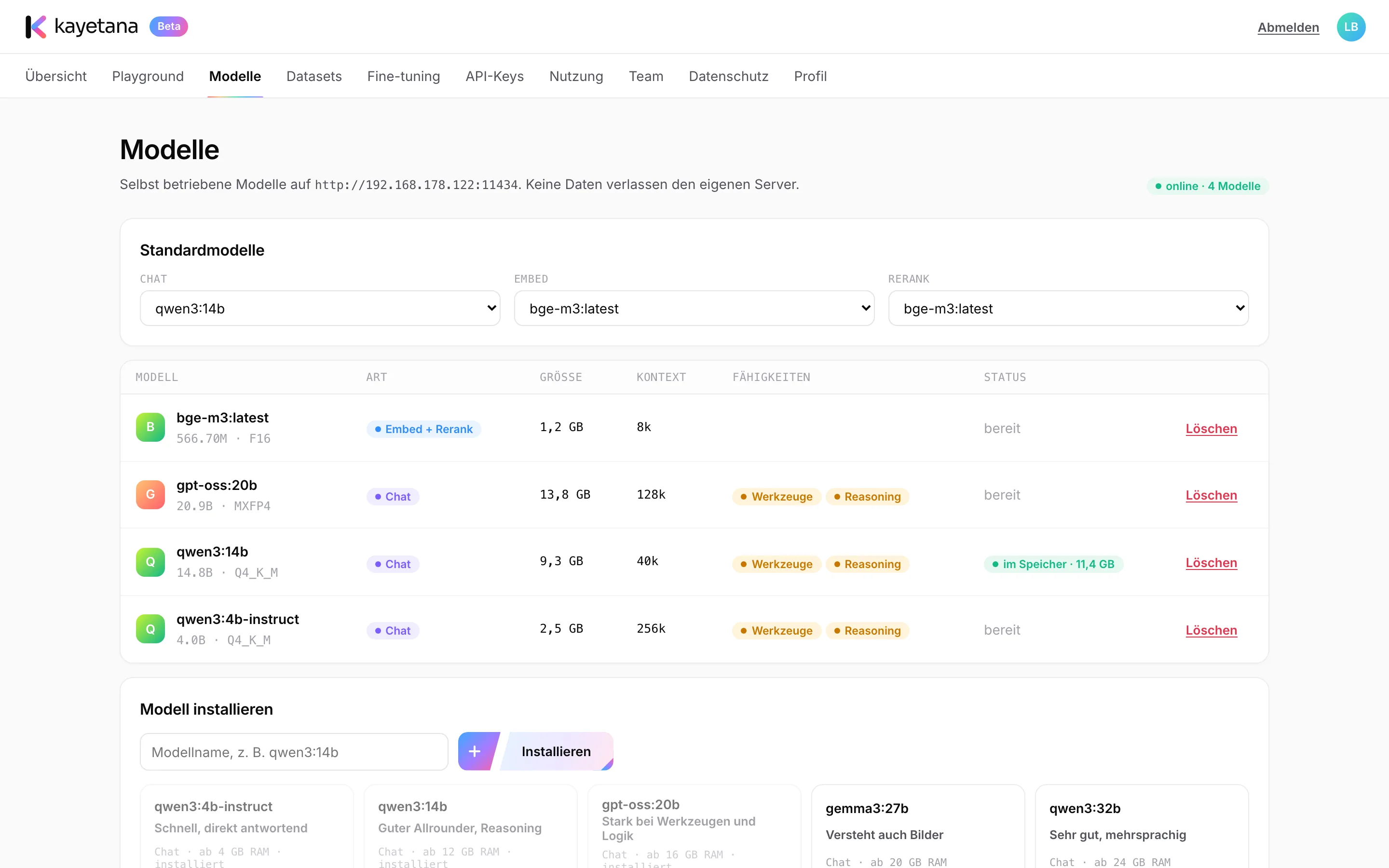
A server you fully control.
kayetana runs on a Mac Studio on your network. The app only listens locally, and access goes through HTTPS with your own certificate. You load the models once, and after that it needs no outside connection.
- Runs without internet
- HTTPS with your own certificate
- Services restart on their own after a reboot
Where kayetana helps utilities.
Query operating manuals
Load switching and maintenance instructions and get answers with citations.
Sort incident reports
Pre-sort reports by utility type, asset or urgency.
Dictate field reports
Record reports from field crews and file them as text with timestamps.
Answer customer questions
Prepare replies about payments, meter readings or move-ins with team templates.
Search asset history
Find similar findings in older inspection reports with embed and rerank.
Capture know-how
Make the experience of long-time staff findable from documents and recordings.
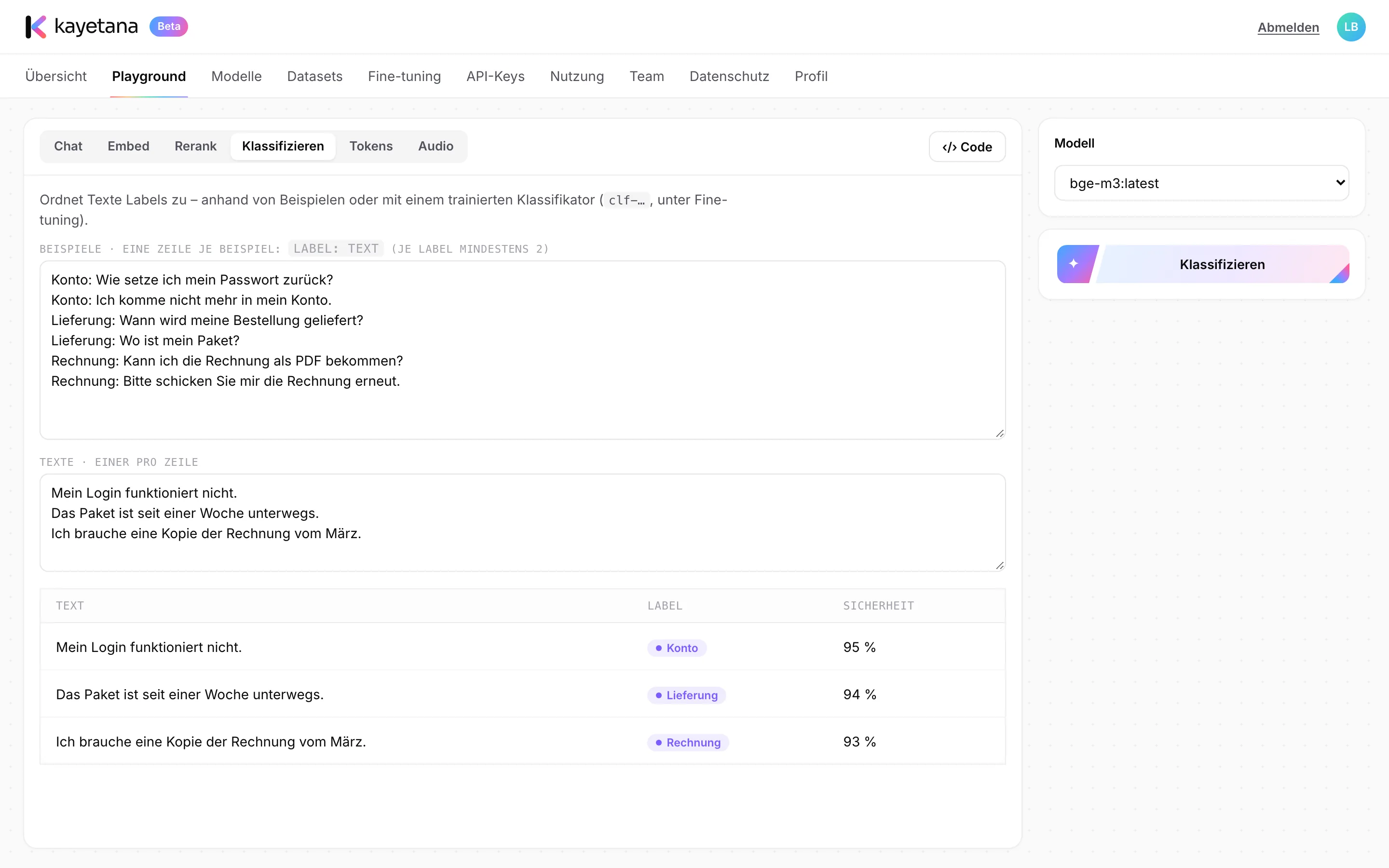
Route incident reports faster.
Define labels like power, gas, water or heating and add a few examples for each. kayetana assigns new reports and shows a confidence score per label. Your team takes a look itself whenever a case is unclear.
- A confidence score per label
- One or more labels per report
- Also via API with classify
Getting started on an isolated network.
Set up the server
Install the Mac Studio on your network and load the models once.
Disconnect
From then on, kayetana keeps running without internet.
Provide documents
Load manuals and instructions for answers with citations.
Set up access
Assign roles and create keys with monthly limits for applications.
See kayetana running offline.
In the demo, we query a sample manual and sort sample incident reports.
Frequently asked questions
Does kayetana really run without internet?
Yes. Once the models are loaded, it needs no connection to the outside world.
Does kayetana meet critical infrastructure requirements?
We can't promise that. kayetana runs on your network and keeps data on your server. Review the requirements with your IT security and compliance teams.
How do updates reach a server without internet?
Updates run by script. You decide when and how to apply them.
What happens after a power outage?
The services restart on their own after a reboot. kayetana also backs up the database and files daily at 3:15 a.m.