 kayetana
Less sorting. More advising.
Tax practices deal with a lot of text: client emails, notices, guidance letters. kayetana helps you sort, summarize and look things up, on a server in your own office.
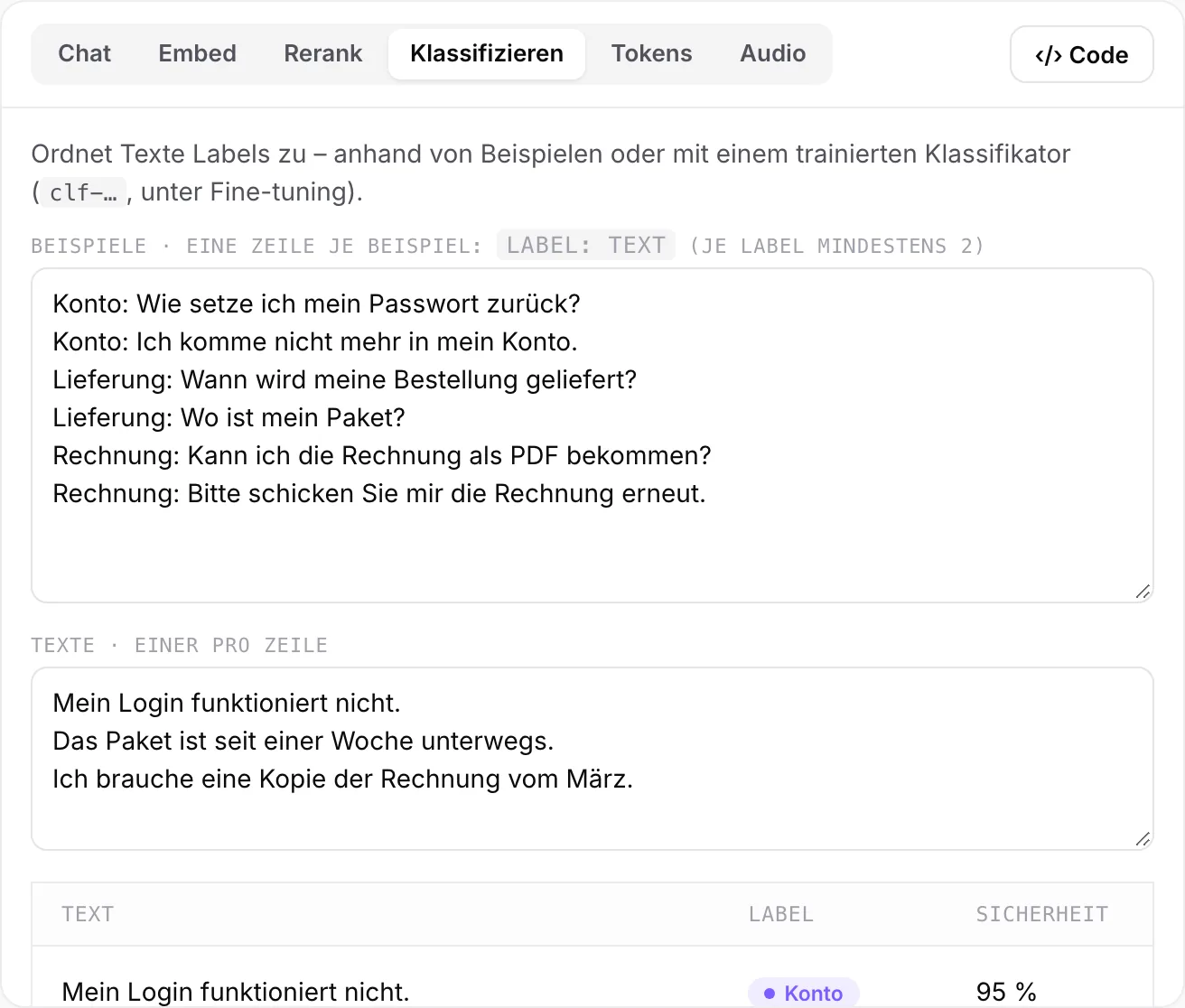
Client mail, pre-sorted.
kayetana assigns incoming emails and letters to categories such as question, receipt, notice or appointment. A few examples in the request are all it takes. If you want more, train your own classifier on cases you've already sorted.
- One or more labels per text
- Confidence shown per label
- Your own classifier, trained on your data
Tasks kayetana takes off your plate.
Make sense of notices
Summarize long letters and ask exactly what changed from last year.
Look up guidance
Query internal checklists and guidance letters, with a source for every sentence.
Document meetings
Record client meetings and work with the text, complete with timestamps.
Draft replies
Draft follow-up questions for clients in chat, with team templates for recurring cases.
Client data belongs in your practice.
Tax files hold income, assets and family details. With kayetana, data stays on your server and you stay in control. Check the requirements with your data protection officer.
- Prompts and responses are never stored
- Only time, model and tokens are logged
- Your own retention periods for uploads
- Roles for advisors and staff
- HTTPS on your own network
- Daily backups, kept for 14 days
Three steps to your first time savings.
Define categories
What kinds of mail do you get? Those become your labels.
Test with examples
Try a few typical emails per category in the Playground.
Roll it out
Save proven workflows as templates and invite your colleagues.
Try kayetana with your client mail.
In the demo, we sort examples from your day-to-day work and query your reference material.
Frequently asked questions
Do I need training data to sort mail?
No. A few examples per category in the request are enough to start. You can train your own classifier from sorted cases later.
Can kayetana read documents in PDF?
kayetana extracts text from PDF, Word, RTF, ODT and HTML, so you can query and summarize their contents.
Does kayetana replace my practice software?
No. It complements it for tasks involving text and speech. You can connect kayetana to your own workflows through the REST API.
Who can see the content?
Prompts and responses are not stored. Only time, endpoint, model, status, tokens and duration are logged.