 kayetana
One platform for everything your team does with AI.
kayetana runs on a Mac Studio on your own network. You try models in the browser, open them up to your own apps through the API, and keep an eye on usage at all times. Prompts and answers are never stored.
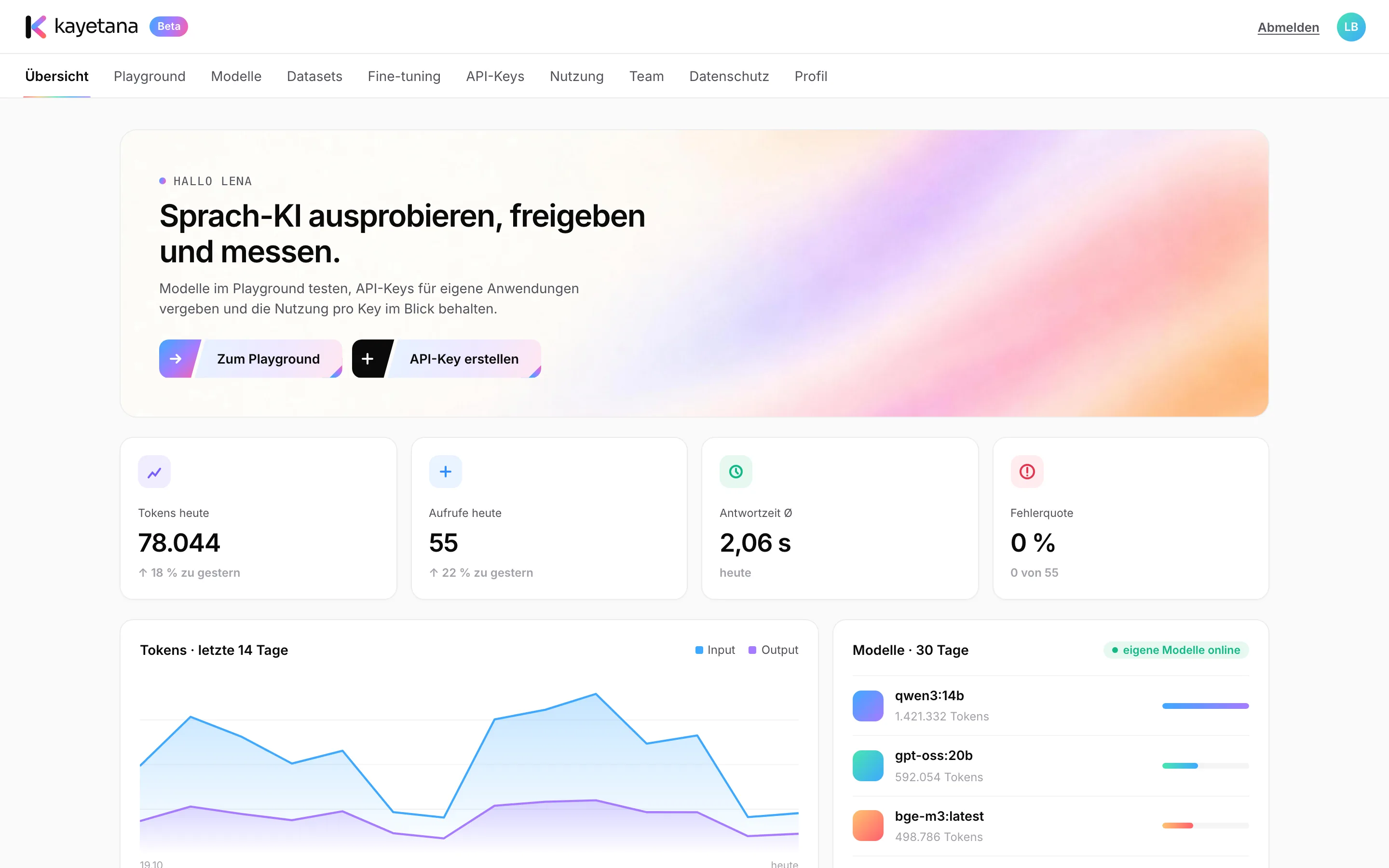
Test models in the browser: system instructions, reasoning, JSON, images, tools and ready-made code.
Learn more →Answers from documentsAsk questions about policies, contracts and handbooks. Every statement shows its source.
Learn more →Search: embed & rerankTurn text into vectors and rank it by relevance: the basis for search that understands meaning.
Learn more →ClassifyRoute tickets and emails to categories automatically, using examples or your own classifier.
Learn more →Audio & transcriptionTurn meetings and voice messages into text, with timestamps. Up to 100 MB per file.
Learn more →ModelsOpen models for chat, reasoning, search and speech. Add new ones and set a default for each task.
Learn more →Fine-tuningTrain a chat model on your own examples, or build a classifier of your own.
Learn more →Datasets & embed jobsUpload CSV, JSONL, TXT, PDF and Word files and embed entire collections in the background.
Learn more →REST APIEvery feature through one REST API, with API keys, monthly limits per key and ready-made sample code.
Learn more →Team & usageOwner, admin and member roles, invite links and a full view of usage.
Learn more →The tools your team reaches for every day.
Everything runs on your own server, and you can try all of it in the browser right away.
Chat & Playground
Try models right in the browser, with system instructions, reasoning, JSON mode and image input.
Answers from documents
Upload policies, contracts and handbooks. Every statement shows the source it came from.
Search with embed & rerank
Turn text into vectors and sort results by relevance. The foundation for search that understands meaning.
Classify
Route support tickets and emails to categories automatically, using examples or a classifier you trained.
Audio
Turn meetings and voice messages into text, with timestamps. Up to 100 MB per file.
Models
Open models for chat, reasoning, search and speech. Add new ones and set your defaults.
Your own models, your own apps, clear rules.
Fine-tuning
Train a chat model on your own conversation examples, or build a classifier from labeled data.
Datasets & embed jobs
Upload CSV, JSONL, TXT, PDF and Word files and embed entire collections in the background.
REST API
Every feature through one API, with API keys and a monthly limit per key.
Team & usage
Owner, admin and member roles. Tokens and requests per day, key and model.
Security & privacy
No content stored, your own retention periods, HTTPS on your own network.
Runs offline
Once the models are downloaded, day-to-day operation needs no internet.
Try it before you build anything.
The Playground puts chat, embed, rerank, classify, tokens and audio side by side. You see right away how a model answers your question, then copy the exact settings as working code in Python, TypeScript or curl.
- Save presets for the whole team
- Working code for every request
- Pick the model and settings for each task
From a quick test in the browser to your own app.
Try
Test models in the Playground with real examples from your work, like a question about your travel policy.
Share
Create API keys for your own apps, each with its own monthly limit.
Tailor
Use datasets and fine-tuning to fit models more closely to your tasks.
Keep track
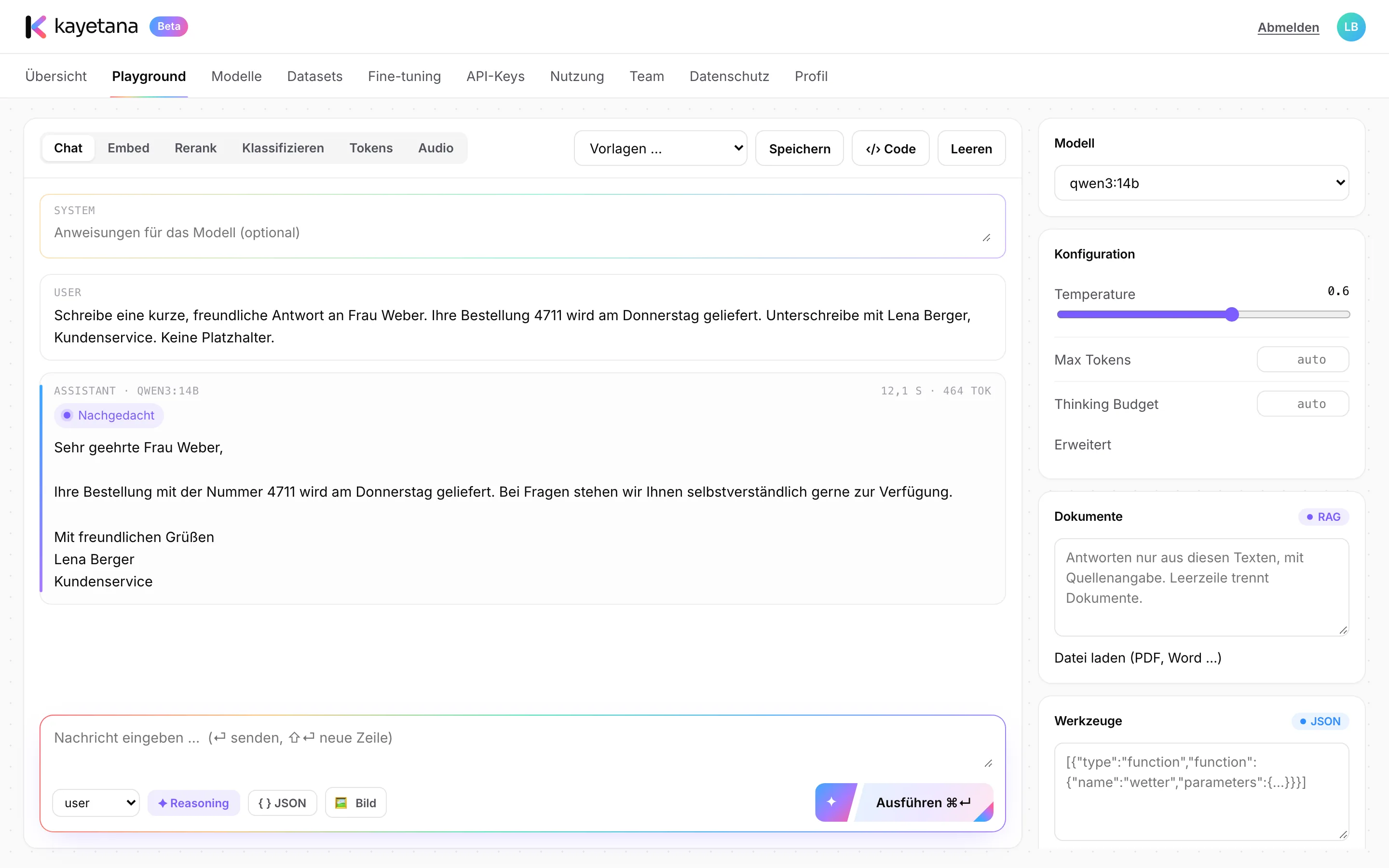
Usage shows tokens, requests, response time and error rate per key and model.
What powers it.
- Runs on a Mac Studio with Apple silicon
- Models served by Ollama on the same machine
- Companion service for transcription, tokenizer, document parsing and fine-tuning
- Use it in the browser or through the REST API
- HTTPS with your own certificate on your own network
- Daily backup at 3:15 a.m., kept for 14 days
- Updates by script, services restart on their own after a reboot
- Flat fee instead of per-token or per-user billing
See the platform with your own examples.
In a demo, we'll walk you through kayetana using questions and documents from your own work.
Frequently asked questions
What hardware do I need?
A Mac Studio with Apple silicon. We recommend 36 GB of memory or more, which runs models up to about 20 billion parameters alongside search and transcription. More memory lets you run larger models.
Do I need an internet connection?
Only to download models and updates. After that, everything runs on your own network.
Which models are included?
qwen3:4b-instruct, qwen3:14b and gpt-oss:20b for chat and reasoning, bge-m3 for search, reranking and classification, and Whisper large-v3-turbo for speech. All of them are openly licensed (Apache 2.0 or MIT).
Can I connect kayetana to my own apps?
Yes. Every feature is available through the REST API, with API keys and a monthly limit per key.
How much does kayetana cost?
Pricing is available on request. You pay a flat fee for the platform, with no per-token or per-user billing.