 kayetana
AI for your law firm. Client data stays in-house.
Search contracts, summarize case files, transcribe dictation: kayetana does it on a server in your office. Not a single brief goes to a cloud service.
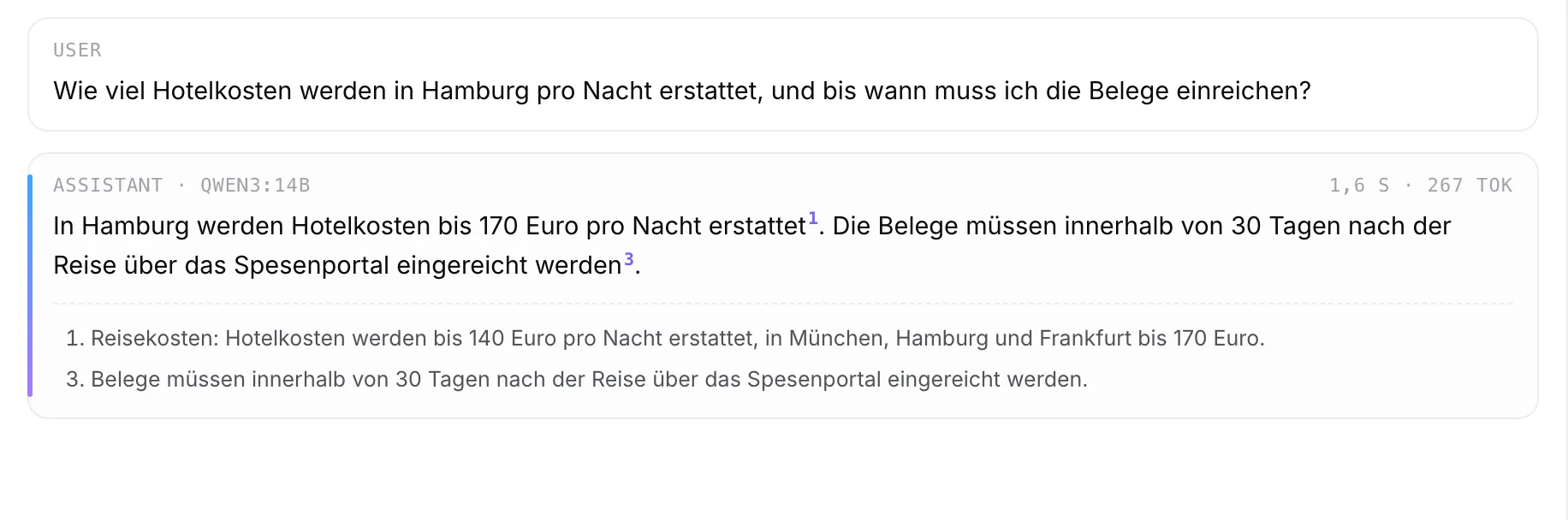
Ask the contract, not a search box.
Upload contracts, briefs or rulings as PDF or Word and ask your question. kayetana answers and shows, for every sentence, the passage it came from. That way you can check every statement yourself.
- PDF, Word, RTF, ODT and HTML
- A source for every sentence
- Several documents in one request
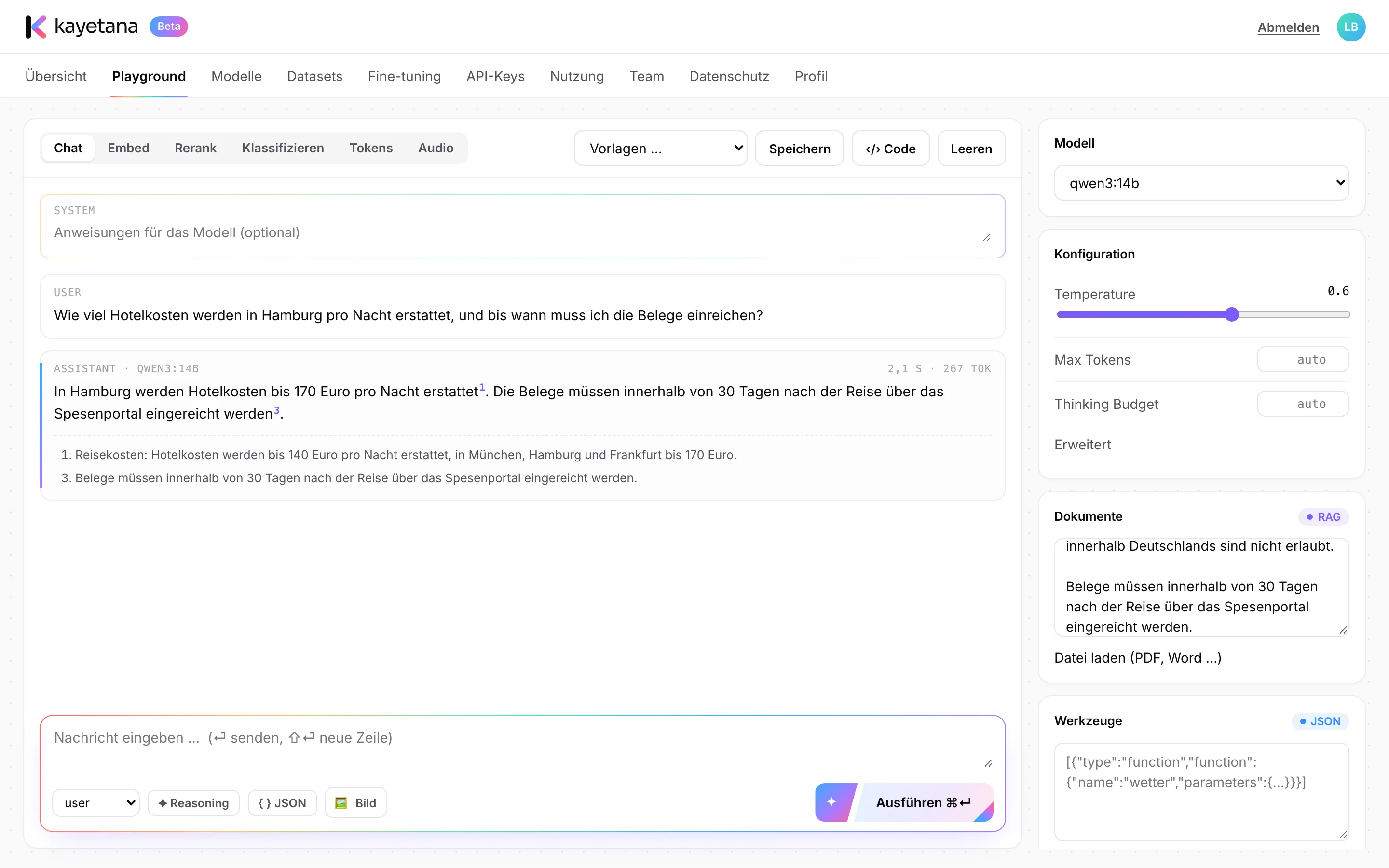
Where kayetana helps your firm.
Review contracts
Find termination periods, liability clauses or venue provisions and see exactly where they appear.
Transcribe dictation
Turn recordings from a dictation device or phone into text, with timestamps.
Sort incoming mail
Pre-sort emails and letters by practice area or urgency.
Prepare drafts
Summaries, outlines and first drafts in chat, with saved team templates.
Find know-how
Search model contracts and internal memos by meaning instead of keywords.
Bring in the team
Attorneys and staff with their own roles, invited by link.
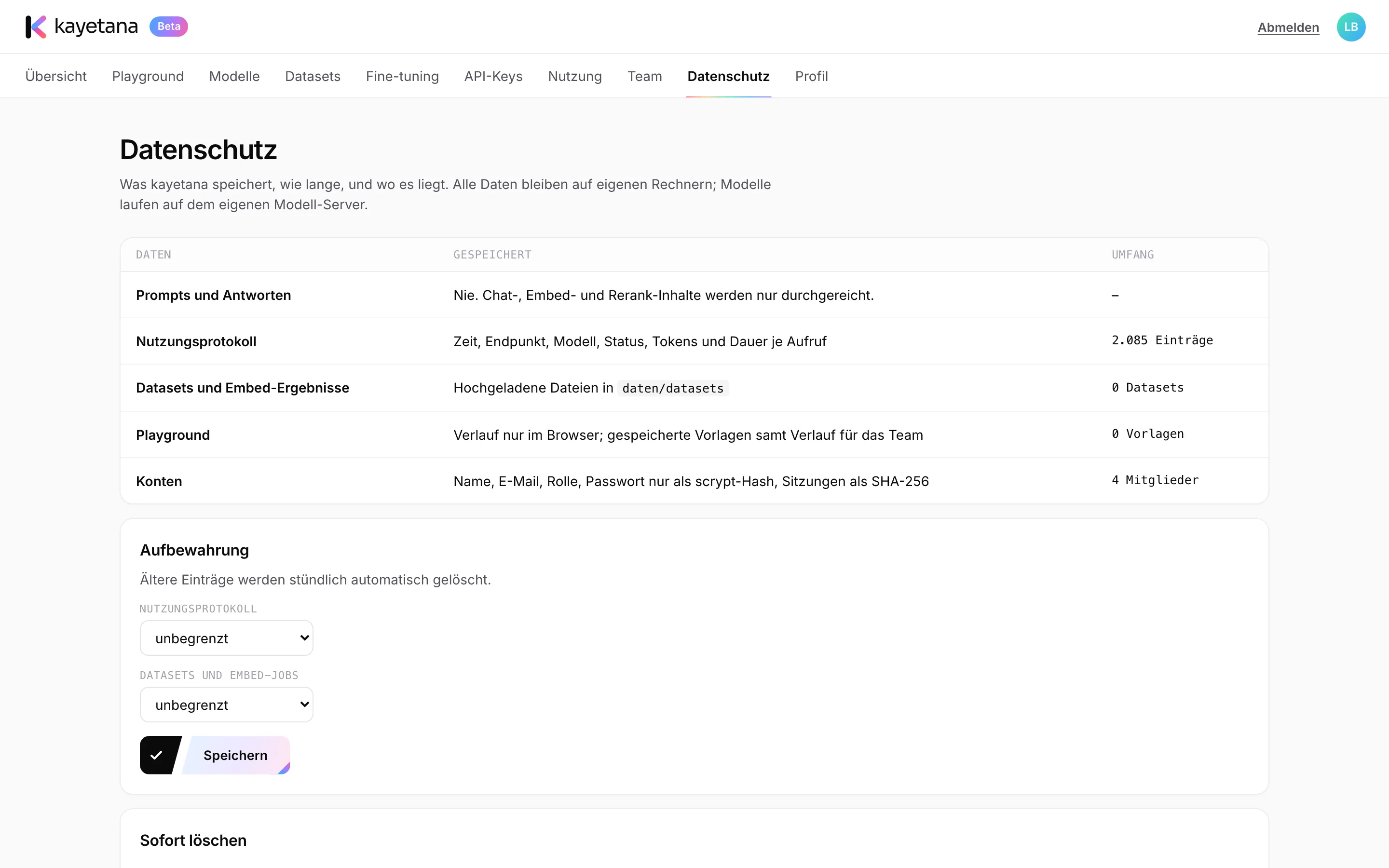
Attorney-client confidentiality doesn't stop at the prompt.
Paste client files into a cloud AI service and they're out of your hands. With kayetana, data stays on your server and you stay in control. Check the requirements that apply to your firm with your data protection officer or counsel.
- Prompts and responses are never stored
- Your own retention periods for logs and uploads
- Can run without internet access
How to get started at your firm.
Set up the server
A Mac Studio in your office. We set up models, HTTPS and backups.
Start with one matter
Pick a closed matter and try asking questions about its contracts and files.
Save templates
Store proven instructions as team templates so everyone works the same way.
Invite the team
Invite colleagues by link and assign roles.
See kayetana with your own documents.
In the demo, we show you what answers with sources look like in a law firm.
Frequently asked questions
Will the AI make up citations?
With answers from documents, kayetana names the source from your files for every sentence, so you can check each statement directly. The legal review stays with you.
Are my case files stored?
Prompts and responses are never stored. Uploaded datasets and the usage log are deleted on the schedule you set.
Can I process dictation?
Yes. kayetana turns recordings in MP3, M4A, WAV and other formats up to 100 MB into text, with timestamps and a selectable language.
Does this make kayetana compliant for my firm?
We can't promise that. kayetana keeps data on your server. Review the requirements for your firm with your data protection officer or counsel.