 kayetana
Speech becomes text. Without the recording ever leaving the building.
Upload a recording, pick the language, and get a transcript with timestamps. Whisper large-v3-turbo runs right on your own server.
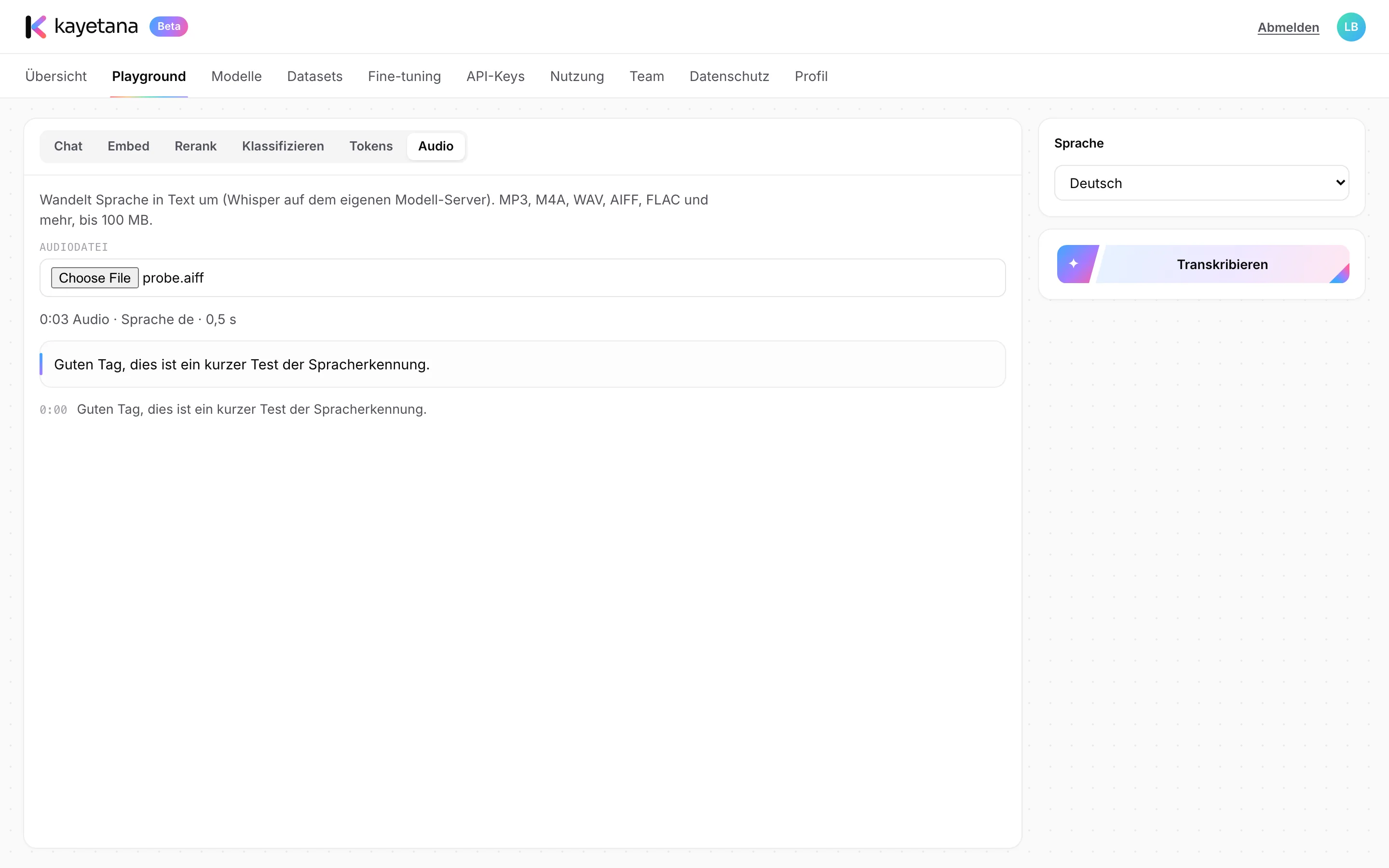
Pick a file, transcribe, done.
In the Playground, choose the audio file and the language, then start the transcription. You get the full text plus each segment with its timestamp, so you can jump straight to the right spot in the recording later.
- Whisper large-v3-turbo
- Choose the language
- Timestamps for each segment
Where transcripts save time.
Meetings
Upload the recording of your team meeting and use the transcript as the basis for the minutes.
Voice messages
Read long voice messages from customers or coworkers instead of listening to them.
Interviews
Get job interviews or customer calls in writing and review them at your own pace.
Dictation
Dictate on the go, then keep editing as text back at the office.
Timestamps
Every segment has a timestamp, so you can find that moment in the recording right away.
Next steps
Summarize the transcript in chat or have it pull out action items.
From recording to meeting minutes.
Upload the recording
The meeting file, for example an M4A from your phone, up to 100 MB.
Choose the language
Set the language of the recording and start the transcription.
Summarize
In chat, turn the transcript into a short summary with decisions and action items.
What kayetana handles.
- MP3, M4A, WAV, AIFF, FLAC and more
- Files up to 100 MB
- Timestamps in the result
- Selectable recording language
- Also via API with the transcribe endpoint
- Processed on your own server
Listen less, read more.
Bring a sample recording, and we'll show you the timestamped transcript in the demo.
Frequently asked questions
Which file formats work?
MP3, M4A, WAV, AIFF, FLAC and other common formats, up to 100 MB per file.
Which model does the transcription?
Whisper large-v3-turbo. It's openly licensed and runs on your own server.
Is the recording sent anywhere?
No. Transcription runs entirely on your server, on your network.
Can I build transcription into my own workflows?
Yes, through the transcribe endpoint of the REST API, for example to turn incoming voice messages into text automatically.